Free forever for split mode · Standard from $5.99/mo · No lock-in
Used by DJs who prep with Rekordbox
Rekordbox
Camelot Wheel
Pioneer DJ
TXT Export
M3U8 Format
Harmonic Mixing
BPM Alignment
Energy Arc
Rekordbox
Camelot Wheel
Pioneer DJ
TXT Export
M3U8 Format
Harmonic Mixing
BPM Alignment
Energy Arc
Rekordbox
Camelot Wheel
Pioneer DJ
TXT Export
M3U8 Format
Harmonic Mixing
BPM Alignment
Energy Arc
Rekordbox
Camelot Wheel
Pioneer DJ
TXT Export
M3U8 Format
Harmonic Mixing
BPM Alignment
Energy Arc
≤ 3 min
From upload to full set list. No manual curation.
100%
Deterministic logic. Same input, same output, always.
TXT + M3U8
Built around Rekordbox exports DJs already use.
Camelot
Full harmonic wheel with configurable key streaks.
0 lock-in
Download M3U playlists. Import back instantly.
How it works
Three steps. No setup.
Export the playlist twice from Rekordbox, tune the constraints you care about, then download playlists that drop straight back into your prep workflow.
1
Export the same playlist in both formats
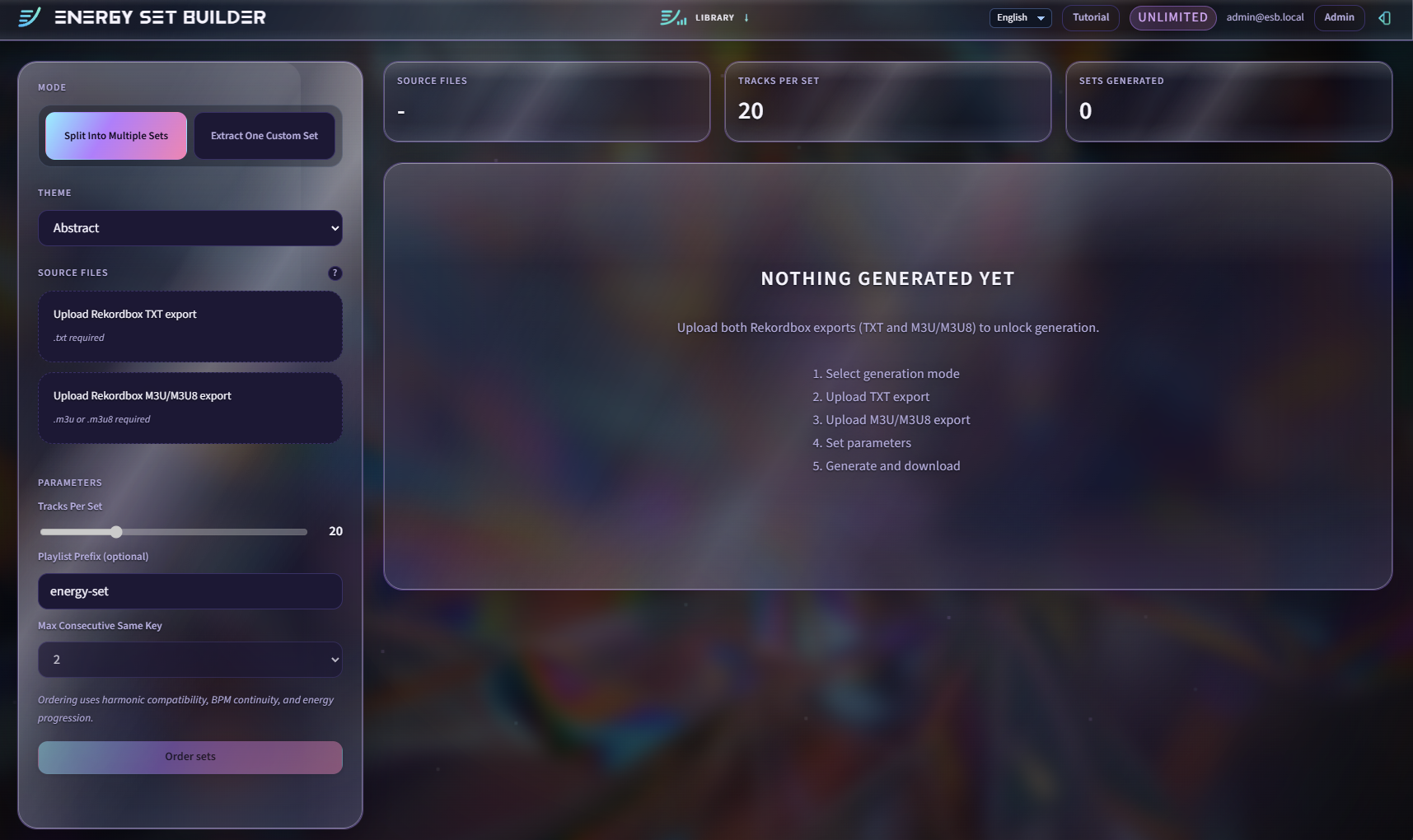
Right-click the playlist in Rekordbox and export it once as Text, then again as M3U8. Energy Set Builder matches both files to understand your playlist cleanly.
Rekordbox TXT + M3U8 · Same playlist
2
Shape the set the way you actually prep
Choose split or extract mode, tune track count, key streak, BPM jumps, harmonic direction, and energy profile — then let the engine do the heavy ordering work.
Smart defaults first · Deep controls when needed
3
Download and import back into Rekordbox
Review the output, download the generated playlists, then import them back into Rekordbox and keep moving with a set already balanced for flow.
M3U8 output · Reimport in under 30 seconds
Features
Everything the prep workflow needs.
Purpose-built for Rekordbox DJs who want harmonic and energy structure without hours of manual sorting.
🎵
Harmonic Ordering
Full Camelot Wheel support with configurable key streak limits. The engine enforces harmonic continuity so every transition makes sense.
⚡
Energy Arc Shaping
Define the energy profile for your set — opening build, peak intensity, closing wind-down — and let the algorithm sequence tracks to match.
🎛️
Split & Extract Modes
Split divides your library into multiple complete sets. Extract pulls a single targeted set based on specific harmonic and energy constraints you define.
📂
Rekordbox Native Flow
Works with the TXT and M3U8 formats Rekordbox already exports. Output goes back in as an M3U8 import — no plugins, no account linking.
🔁
BPM Continuity Controls
Set BPM jump tolerances and progression curves. Keep transitions smooth or allow bold energy shifts — you stay in control of the ride.
🔒
Zero Data Retention
Your library is processed server-side to generate sets and not retained after your session ends. We store credits, not your tracks.
Outcomes
Stop sorting. Start curating.
The repetitive part of set prep disappears here: harmonic continuity, BPM movement, energy arc — handled.
Old way
Hours of manual prep, every time.
Manually check key compatibility for every track
Drag tracks to balance the energy arc
Rebuild sets from scratch after new imports
90–120 min prep per event, every time
Risk losing harmonic flow when you rush
With Energy Set Builder
Automated structure, human selection quality.
Harmonic flow enforced by algorithm, not memory
Energy arc baked into set ordering automatically
Re-run in 3 minutes after any library update
Focus on track selection quality, not sorting logistics
Consistent results every single time
Pricing
Start free, upgrade when ready.
No credit card to start. Upgrade only when you want Extract mode, more control, and faster recurring prep.
Free
For DJs trying the workflow for the first time.
$0
forever
Split mode (up to 14 tracks/set)
5 Extract credits/month
M3U8 output for Rekordbox
Basic harmonic constraints
Most Popular
Standard
For DJs who prep regularly and want the full workflow.
$5.99
per month
Full split mode, unlimited tracks/set
50 Extract credits/month
All constraint controls
BPM progression curves
Library tools included
Unlimited
For DJs who want the full workflow unlocked every time.
$8.99
per month
Everything in Standard
Unlimited Extract runs
Abstract theme + video background
Early access to new features
Priority support
FAQ
Common questions.
Before you sign up.
Upload two exports from the same Rekordbox playlist: one Text export and one M3U8 export. Energy Set Builder uses both together to understand playlist structure and file paths cleanly.
You get playlist files that can be imported back into Rekordbox. The tracks stay in your library exactly as they are. Energy Set Builder changes the ordering and grouping, not your source files.
Your data is processed server-side to generate sets and is not retained after your session ends. We store your account data and usage credits, not your library contents.
Split divides your library into multiple complete sets (opening, peak, closing). Extract pulls a single targeted set from your library based on specific harmonic and energy constraints you define.
Yes, as long as you can export the playlist in the required Rekordbox formats. The workflow is based on exports you generate from Rekordbox itself — no plugins or account linking needed.
Free caps Split mode at 14 tracks per set and includes 5 Extract credits per month. Standard removes the split cap, adds full workflow controls, library tools, and 50 Extract credits.
Get started
If you already have the playlist, test the workflow today.
Start on free, verify the output, and only upgrade when you want Extract mode, more control, and faster recurring prep.